All capabilities
06 / 14Think in queries
A fast place to explore, explain, and leave a trail.
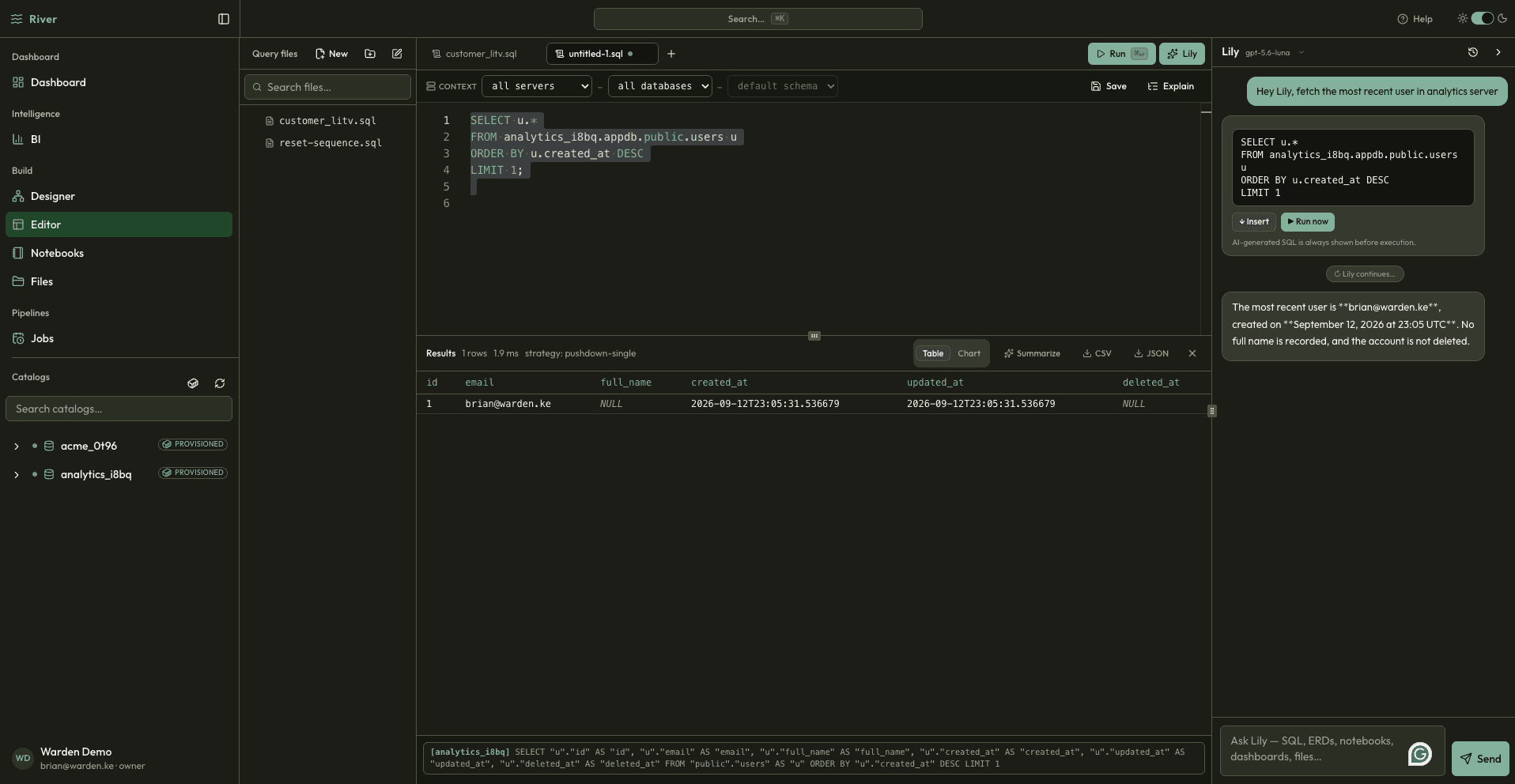
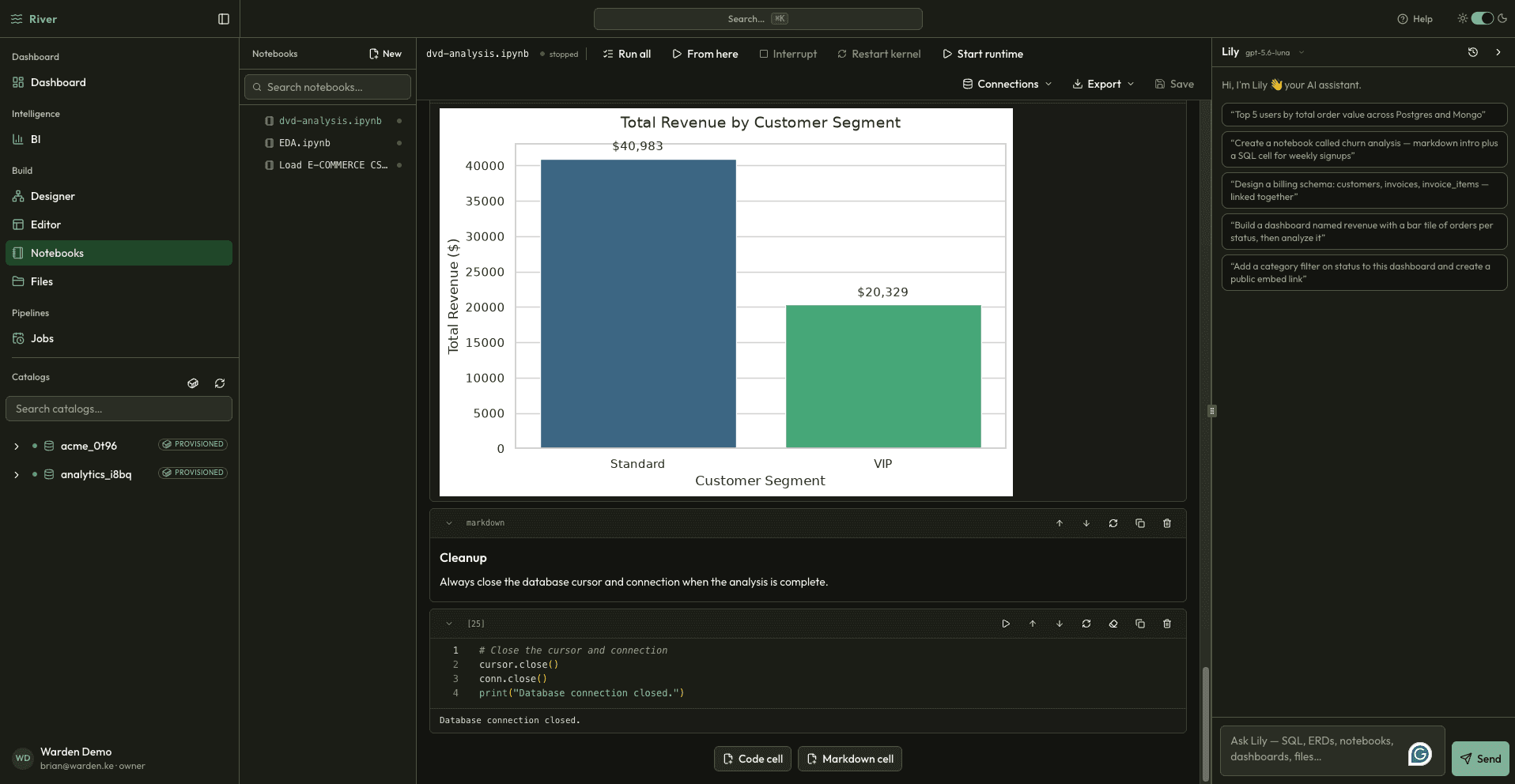
Use a focused SQL editor for quick answers and notebooks for longer investigations. Your team keeps code, results, notes, and context together instead of scattering analysis across tabs.
Included
Monaco editorSchema intellisense.rsql filesJupyter notebooksKernel controlCharts in-notebook
The problem
Analysis disappears into local files and browser tabs. It is difficult to pick up someone else's work, reproduce a result, or turn exploration into a durable asset.
The River approach
River gives every query a home and every investigation a narrative, with saved files and per-notebook runtimes for repeatable work.
See it working
Inside Query Editor & Notebooks.
river.local / editor
river.local / notebooks
What changes for your team
Less friction between the question and the answer.
Make analysis easy to pick up and review
Keep SQL, notes, and results together
Turn one-off exploration into reusable work
01
Explore
Draft and run SQL with a responsive editor.
02
Explain
Add context, checks, and narrative around the result.
03
Repeat
Save the work so the next answer starts further ahead.
Next capability